
Melon Sandbox
playducky.comSimulation
4.755.08K Reviews
- Version
- 38.666
- Installs
- 100.00M
- Age Rating
- Teen
Screenshots
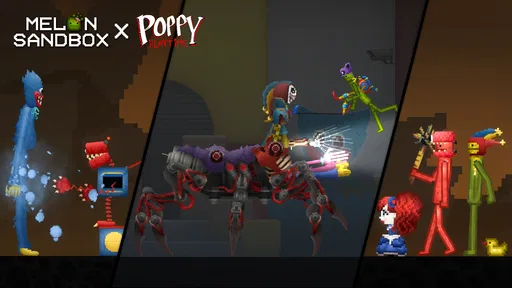
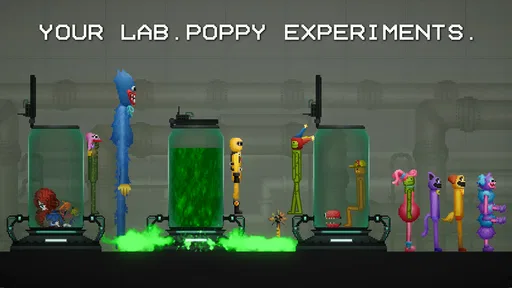
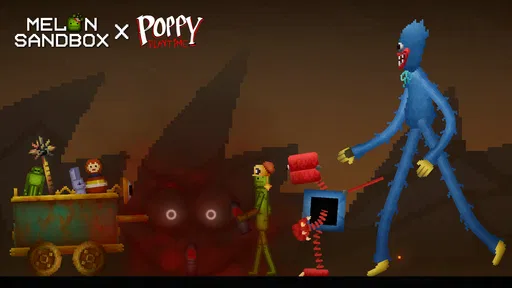

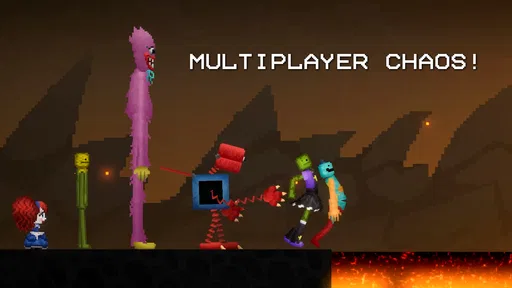

Our Review of Melon Sandbox
 Analysis by Appyee
Some mobile games give you a fixed route to follow; Melon Sandbox is more appealing when you want to make the route up as you go. I like it as a casual creative playground: you set up objects, try an idea, and see what happens. It is a simulation game from playducky.com, and its loose structure makes it easy to dip in without committing to a long campaign. The main question is whether you enjoy experimenting for its own sake, because the fun comes less from being told what to do and more from deciding what to test.
What free access means for its value
The game is free to download, so you can try its sandbox approach without paying up front. It also offers in-app purchases, with listed item prices ranging from $0.49 to $259.99. That is a wide span, so I would treat optional spending cautiously and avoid assuming a purchase is necessary to enjoy the basic idea. If you are deciding whether it is worth trying, the sensible first step is to install it and see whether the hands-on experimentation clicks before considering any extras.
That free entry point matters because a sandbox can be hard to judge from a short description. You may enjoy building a scene but lose interest once you have tested a few combinations, or you may find yourself returning whenever you have a new experiment in mind. I would not spend just to make the game feel more complete; first work out what you actually want to do in it and whether the available play already satisfies that curiosity.
What the play loop gives back
When I want a quick break, the appeal is that I can start with a simple idea rather than learn a set of rules or chase a score. I might arrange objects to create a chain reaction, then change one part and watch how the result differs. That small loop—set up, test, adjust—is the real value. It rewards curiosity and gives a short session its own beginning and ending, even when there is no conventional mission to complete.
There is a useful creative angle here, too. Instead of treating every result as a success or failure, I can use an unexpected collision as a clue about what to try next. Moving one object at a time makes experiments easier to understand than changing a whole scene at once. For younger players, that can prompt casual questions about gravity and cause and effect, although I would describe it as playful exploration rather than a structured lesson.
Getting Started with Melon Sandbox
Once you fire up Melon Sandbox, you're greeted with a colorful, inviting interface that practically begs you to start tinkering. The app is all about experimenting with different objects and scenarios in a sandbox environment. Think of it as a combination of a physics engine and a creative studio.
The controls are intuitive, so you won't find yourself fumbling around trying to figure out how to make things work. Just tap, drag, and drop to your heart’s content. Want to launch a car into space or create a domino effect with a series of blocks? Go for it. The only limit is your imagination!
Features that Stand Out
One of the standout features of this app is its extensive library of items you can use. We're talking everything from simple blocks to complex machinery. Each object has its own set of properties, allowing you to tweak and modify them to see how they interact with one another.
Another feature worth mentioning is the real-time physics simulation. It's incredibly satisfying to watch your creations come to life, responding to gravity and collisions in a realistic way. It’s like having a mini universe in your pocket!
How it fits alongside other simulation games
Compared with the usual mobile simulation game built around managing a business, tending a virtual space, or following a progression path, this one puts the experiment itself at the center. That is a meaningful difference: there is less reason to play for a checklist and more reason to play because a particular setup intrigues you. If you want goals, upgrades, and a clear sense of advancement, another simulation may give you a stronger reason to return. If you prefer open-ended tinkering, this format is a better fit.
It also differs from a dedicated building game. Here, the satisfaction is not only in arranging a scene but in watching objects interact under simulated physics. A practical tip is to begin with a small setup and change one variable at a time; that makes it easier to see why a result changed, and it prevents a busy scene from becoming difficult to read. Once you understand the effect you are testing, add complexity gradually.
Where the freedom has limits
Open-ended play can be freeing, but it can also leave you asking, “What should I do now?” If you need explicit objectives, guided stages, or a steady stream of rewards, the sandbox may feel directionless after the novelty of experimenting wears off. I would use it as a creative break rather than expect it to provide the structure of a level-based game.
There is a second trade-off: elaborate scenes take more thought to set up, while simple experiments can be over quickly. When a result is confusing, resist changing several objects at once. Resetting your idea mentally and rebuilding a smaller version can make the cause-and-effect clearer. That approach is especially useful if you are trying to show a younger player how one change affects the outcome; it keeps the activity playful without pretending the game is a formal science course.
Melon Sandbox is rated Teen, which is worth keeping in mind if you are choosing a game for a younger family member. I would check that age guidance against the player and household expectations rather than assuming a physics playground automatically suits every child. It runs on Android 7.0 or later, and the current version is 34.0.2, so those details are useful to check against your device before downloading.
A realistic way to use it
Imagine having a few minutes free while waiting for an appointment. You could open the game, place a handful of objects, and see whether a simple collision setup behaves as you expect. If it does, try changing the arrangement; if it does not, simplify the scene and test again. That is a satisfying short session because the goal is your own question, not a task imposed by the game. For a longer stretch at home, you can build on the same idea and explore more combinations without needing to switch into a campaign mindset.
For someone who enjoys making and testing little scenarios, that flexibility is the point. For someone who wants a clear story, competitive matches, or a checklist of objectives, I would choose a different kind of game instead. It is also reasonable to leave purchases alone until you have spent enough time with the free experience to know what, if anything, you would actually want to buy.
Who is likely to get the most from it?
I would recommend it to curious players who like trial and error, casual creators who enjoy seeing a setup behave in unexpected ways, and people looking for a game that can be picked up for a short session. The audience numbers suggest it has broad reach: it has passed 50 million installs, with a 4.7 average from around 978,000 ratings and roughly 44,000 written reviews. Those figures are useful context, but they cannot tell you whether its open-ended style matches your taste.
The best way to judge that fit is to ask yourself whether you enjoy inventing your own small challenge. If you would rather be given a clear objective, a narrative, or a competitive target, the lack of a prescribed destination may become a drawback rather than a benefit. I would skip it for that reason if unstructured play usually loses your attention.
Why You'll Love It
What makes Melon Sandbox so addictive is the endless possibilities it offers. Whether you're looking to kill a few minutes or dive into a more extended session of creative problem-solving, this app has got you covered. It's a great stress reliever too. There’s something oddly therapeutic about watching your chaotic creations unfold.
If you're someone who loves experimenting, this app is a dream come true. Plus, it's a fantastic way to introduce younger users to basic physics concepts without them even realizing they’re learning. Talk about sneaky education!
My more measured recommendation is to think of the learning angle as a conversation starter: ask what made an object move or how changing its position altered the result, then let the player test an explanation. That makes the activity more engaging than simply watching a scene unfold. It still depends on the child’s age and interests, and the Teen rating should guide the decision; I would not choose it solely because its physics-like interactions look educational.
Final Thoughts
All in all, Melon Sandbox is a delightful addition to the world of mobile gaming. It's refreshing to play something that doesn't take itself too seriously yet still manages to be engaging and educational. If you're in the mood for some creative chaos, give this app a whirl. You won’t be disappointed!
That last recommendation comes with one qualification: the game is best when you bring an idea of your own, even a tiny one. Its free download makes trying that style low-commitment, while the optional purchases are a reason to decide carefully rather than spend automatically. I would give it a go if playful experiments sound relaxing; I would pass if I need a guided, goal-heavy simulation. For the right mood, it offers an inviting way to turn a spare moment into a small test of imagination.
Privacy and Permissions
See what permissions an app requests and how it handles your data.
- Photos/Media/Files
- read the contents of your USB storage, modify or delete the contents of your USB storage
- Storage
- read the contents of your USB storage, modify or delete the contents of your USB storage
- Wi-Fi connection information
- view Wi-Fi connections
- Other
- view network connections, full network access, control Near Field Communication, control vibration, prevent device from sleeping
Verdict
Strengths of Melon Sandbox
- Intuitive controls for seamless gameplay.
- Wide range of creative tools available.
- Regular updates with new features.
- Engaging community for sharing creations.
- Minimal ads enhance user experience.
Limitations of Melon Sandbox
- Limited tutorials for beginners.
- Occasional performance lags on older devices.
- In-app purchases can be pricey.
- Requires stable internet for multiplayer.
- Some features locked behind paywall.
Other Releases by playducky.com
View All
Gangs Wars: Pixel Shooter RP
Action4.4
Similar Picks in This Category
View All
Truckers of Europe 3
Wanda Software4.3

Town Building Life Simulator
XGame Global4.2

Fidget Toys Trading・Pop It 3D
Freeplay Inc4.7

Sculpt People
CrazyLabs LTD4.4

Scary Teacher 3D
Z & K Games4.2

Hair Tattoo: Barber Shop Game
CASUAL AZUR GAMES4.3
You May Also Like
View All
Frequently Asked Questions
What is Melon Sandbox, and how does it work?
Melon Sandbox is a physics-based simulation app that allows users to experiment with various objects and scenarios. It provides a virtual environment where you can manipulate items and observe their interactions in real-time. The app is designed for creativity and experimentation, offering a wide range of tools and objects to explore.
Is Melon Sandbox available on both Android and iOS platforms?
Yes, Melon Sandbox is available for download on both Android and iOS platforms. Users can find it on the Google Play Store for Android devices and the Apple App Store for iOS devices, ensuring a wide accessibility for mobile users who want to enjoy the sandbox experience.
What are the main features of Melon Sandbox?
Melon Sandbox offers features such as a variety of objects and materials to interact with, realistic physics simulations, and customizable scenarios. Users can create and save their experiments, share them with friends, and explore an extensive library of user-generated content, enhancing the app’s replayability and fun.
Does Melon Sandbox require an internet connection to function?
Melon Sandbox can be enjoyed both online and offline. While an internet connection is needed to download updates and access user-generated content, the core features and functionalities of the app can be used without any internet connection, allowing for uninterrupted experimentation.
Are there any in-app purchases or ads in Melon Sandbox?
Melon Sandbox is free to download, but it may include in-app purchases that offer additional content or features. The app might also display ads, which can be removed through a premium purchase. These options allow developers to provide continued support and updates for the app.
Play our best games!


